
Faulkner County VINELink Coverage
Arkansas VINE is the state's victim notification system. VINELink is its public search and sign-up entry point. FCSO points visitors to VINE straight from its own FAQ. That makes it a custody-notice path for Faulkner County. State materials list participating county jail and state correction data. VINE never replaces the record held at the Faulkner County Detention Center.
Use it for a named person. An eligible record may report custody. It can also offer alerts for later changes. It will not show the incident narrative or the full jail log. The same goes for a warrant file, a complete bond order, a booking-photo archive, or a court disposition. A disposition is simply the court's recorded outcome.
Custody systems have edges. Someone booked at Unit Two may hit the FCSO roster first. A downstream service can catch up later. A person sentenced and moved to state custody changes systems. They land in the Arkansas Division of Correction instead. Federal Bureau of Prisons and ICE custody each run their own locators.
FCDC intake opens a computerized record with fingerprints and photo images. The roster shares selected booking fields with the public. VINELink uses custody data for its own purpose. Do not expect its record to match the roster card field for field. A court commitment, hold, or transfer can also put someone in FCDC. So a custody result does not mean a new local incident happened that same day.
Check a Faulkner Arrest
Search with enough detail. Separate people sharing a name. A name alone will not cut it. Add an age, a birth date, or another identifier the agency supplies. Never confirm identity from a photo on some other site.
- Open VINELink and select Arkansas as the state or location.
- Choose the person or offender search and enter the available name or identifying number.
- Review possible matches. Compare the displayed identity clues, custody location, and identifier before selecting a record.
- Open the record and note the status, facility, source, and time of the search.
- If the record permits notifications, proceed to registration from that exact result.
The official VINELink landing page shows the public search route without exposing any private person's information. Start there rather than at a copy. The state selection comes first on that screen.
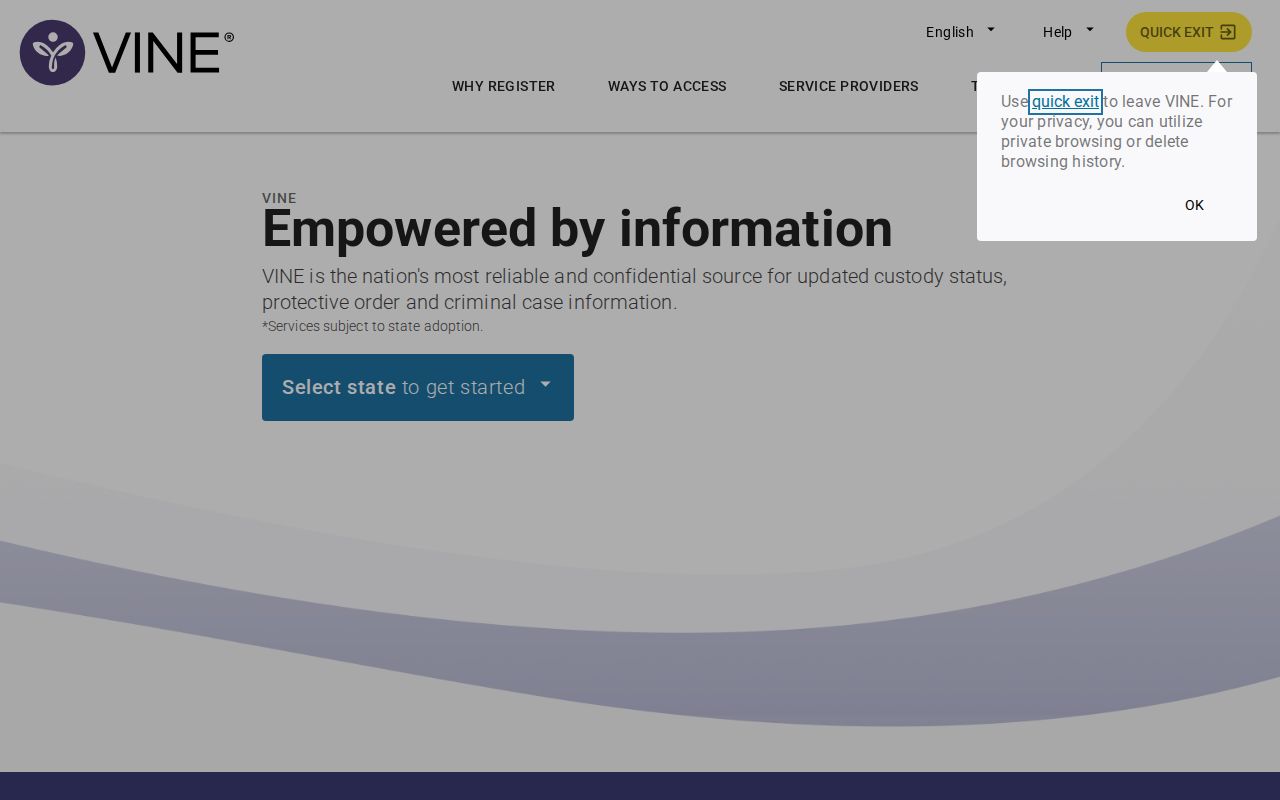
Pick Arkansas and work from the official result. Skip copied listings and search-engine snippets. The Faulkner County recent-arrests hub covers the roster and booking-record path underneath, while VINELink handles custody tracking. A custody hit does not describe the incident itself.
No match showing? Try the exact spelling first, plus any identifier the agency gave. Then consider a different county, the Arkansas Division of Correction, or a federal system. Juvenile records and other protected data may stay private. Do not lean on a third-party page to dodge a lawful limit. And never treat an empty result as proof that no arrest happened.
Faulkner VINELink Result Fields
Exact fields vary by system and record. Read them as status information flowing through VINE. Compare against the source agency when the stakes are high. That comparison settles most field questions.
| Result element | How to use it |
|---|---|
| Name and identity details | Separate possible matches; they are not proof by themselves. |
| Person or offender identifier | Keep the record tied to the correct source entry. |
| Custody status | Shows the state reported through the participating system at that point in time. |
| Facility or agency | Indicates which participating office or correctional location is tied to the result. |
| Notification option | Appears when registration is available for that record and event type. |
| Status change | May reflect release, transfer, or another eligible custody event after the source updates. |
"Released" describes custody alone. It says nothing about acquittal or dismissal. "Transferred" means the holding spot or responsible system changed. Neither term explains the court case. For filings and disposition, search ARCourts or call the right clerk. A blank VINELink result likewise proves no arrest or detention never happened.
Write down which agency supplied the result and when you checked. A facility name helps route a follow-up call, but it will not name the arresting officer or incident details. An identifier can separate similar names, yet FCSO, VINE, and ADC numbers belong to different databases. Keep each number labeled with its source. If personal facts clash, stop and verify instead of blending two possible matches.
Register Faulkner Custody Alerts
Registration starts from an eligible person's record. The live interface lists contact methods and notice types. Use contact details you control and finish every confirmation prompt. If a phone sign-up requests a PIN, pick one you can recall without sharing it with the person being tracked.
- Confirm the match before opening the notification or registration control.
- Select the offered custody events, such as release or transfer, when available.
- Enter an available phone or online contact method and complete the displayed verification steps.
- Save the registration details and follow the service's instructions for updating or ending notices.
Treat every alert as a prompt to check, not a final answer. Notices arrive after the source system reports a change. The person may also land somewhere new. A different facility can call for a different locator, so compare the destination before assuming anything about custody. For a safety plan, call the agency involved. Use 911 in a true emergency.
Registration does not open a permanent case file. Keep contact details current inside the live service, since delivery depends on the method you selected. A missed message proves nothing. Custody may have changed without a notice arriving, so reopen the person record, compare the facility and status, and call the agency when a release or transfer must be confirmed. Never share a registration PIN. Do not register with another person's contact information.
Read the event labels before signing up. A transfer notice may point to another jail or to state custody, while a release notice speaks only to detention status. Neither message cancels a court date, bond condition, protective order, or any other legal requirement; those questions belong with the court, counsel, or the originating agency.
Faulkner VINELink Verification Limits
A new booking shows up first on the FCSO current roster, and releases appear in a separate 48 Hour Release view. Each current card lists a booking number, age, booking time, bond, photograph, and profile. Release cards focus on booking and release timestamps. Neither view works as a permanent archive of Faulkner County arrests. Old entries roll off.
Unit Two handles narrow custody questions at 501-328-4160. The main FCSO non-emergency line is 501-450-4914. Choose option 2 for Unit Two. A missing result can mean many things. Watch for spelling errors, intake lag, a transfer, a release, another county's jail, a citation without booking, or a protected record.
For an older Faulkner County entry, file a records request and name the exact document, such as the booking sheet, a jail-log entry, or the release record. VINELink was never built as a historical arrest archive. A court search may still show a later filing after the custody display changes. The arresting agency keeps the incident report. Each channel answers a different question, so use the right one for the job.
The county offers an online portal, a downloadable form, mail, and in-person requests. Include the full name, booking number if known, date range, arresting agency, and the field you want. FCSO lists a booking intake-sheet copy at $2, subject to confirmation. A custodian may redact exempt material, and the answer is not legal advice. A focused request fills the gap once an online custody view has scrolled away.
The official FCSO roster capture documents the county source used to verify a new arrest or recent release.
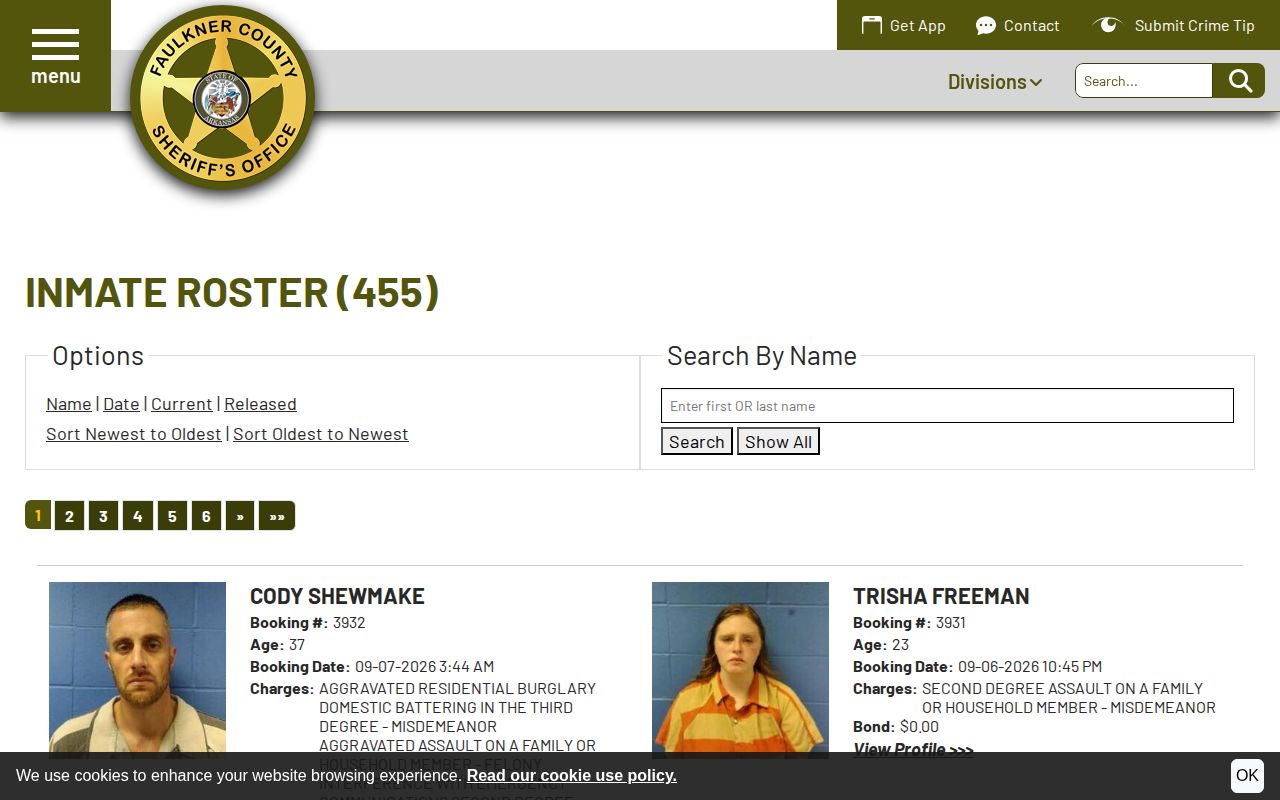
Check both Current and Released. A short stay moves fast. Someone booked today can leave tomorrow. So watch both views.
Faulkner Arrest Alert Channels
VINELink and the FCSO app do different jobs. VINELink fits one eligible person's custody record. The app pushes broader county news. Its categories include Inmate Roster, Most Wanted, Calls for Service, press releases, and agency notices under the name “Faulkner County Sheriff's Office, AR.” FCSO says app push alerts replaced the old email and text alerts effective May 25, 2026. The official FCSO launch notice explains the roster, the app, and that push-alert change.
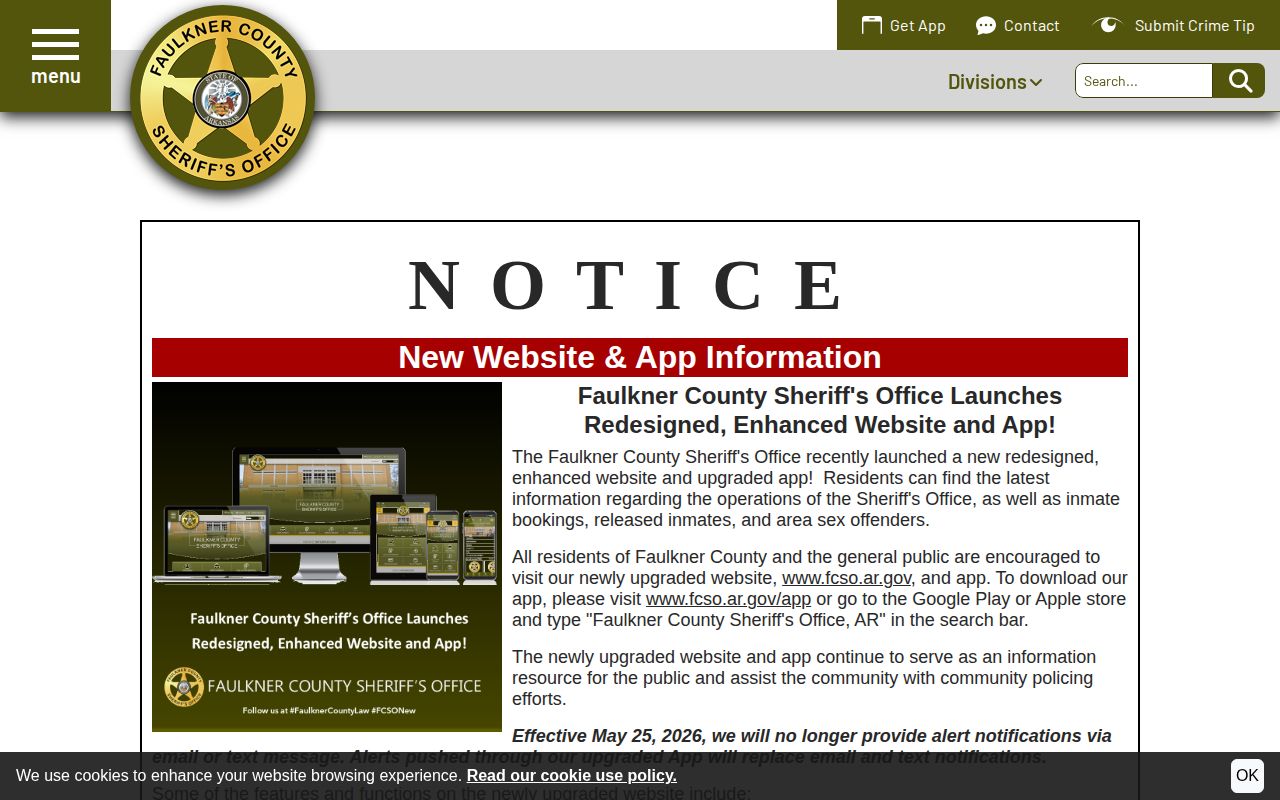
The app is agency news. VINELink fits one eligible custody record. Neither system covers courts or federal inmates. The Bureau of Prisons locator handles federal prisoners. It shows a register number and location but no county booking photo. ICE runs its own detainee locator. The Arkansas Division of Correction search applies after state custody, not merely after a Faulkner County arrest.
Check ADC only when state custody looks plausible. Someone awaiting transfer may not appear yet. A county booking never populates it just because the arrest happened in Arkansas. BOP results will not carry the original county arrest record either. Keep each of these tools inside its documented custody scope, and resist stretching one to do another's job.
ICE's tool uses different identity inputs. It is not a Faulkner County booking list. ICE publishes no county-level detainee roster. A transfer or detainer can pull a person out of the FCSO web view before any other public locator becomes useful. Confirm the move with FCSO first. Then use only the official system tied to the reported destination.
Calls for service sit in a different stage altogether. That county table can show dispatch activity before any booking exists, and its own disclaimer says it is not official crime data. A call row never triggers a VINE notice, because VINE starts with an eligible custody record from a participating system.
Note: Keep the VINELink record identifier and the FCSO booking number separate, since the two systems may not match.
Public Record Search
Sponsored Results